

Understand the client
Confirm the client group, entities, year and scope. Keep the right context with every task.
FediPilot / AI practice assistant
Give FediPilot the preparation work. Bring connected clients, source documents, working papers and supported draft-return workflows together. Keep your team focused on the review.
FediPilot operates MyLedger, LodgeiT, Xero / Xero Tax and Fedix Practice Manager for you: it reads the documents, builds the working papers and drafts the return. You review and lodge.
What you need
Once you have subscribed, download FediPilot for Windows from your Fedix dashboard and sign in with your Fedix account. Training sessions are included and can be booked at any time; they are not a precondition. See all integrations.
30-minute video call in Microsoft Bookings. Opens in a new tab - pick a time, no Microsoft account needed.
There is no free trial: you pay month one on the day you subscribe. Month one refunded if it isn't working after onboarding.

Inside the preparation
Companies. A trust. An SMSF. Five individuals. Explore the existing Callenbrook demonstration and see how each entity contributes to the group review.
Select an entity
Trust / FY2025
Distributions, beneficiary entitlements and the group position.
Trust working paper prepared
Distribution tie-out passed
CGT source discrepancy needs review
The source documents contain conflicting CGT amounts. The discrepancy remains open for accountant review.
The group reconciliation recorded four matched checks and one unresolved beneficiary exception. All names and documents in this example are synthetic.
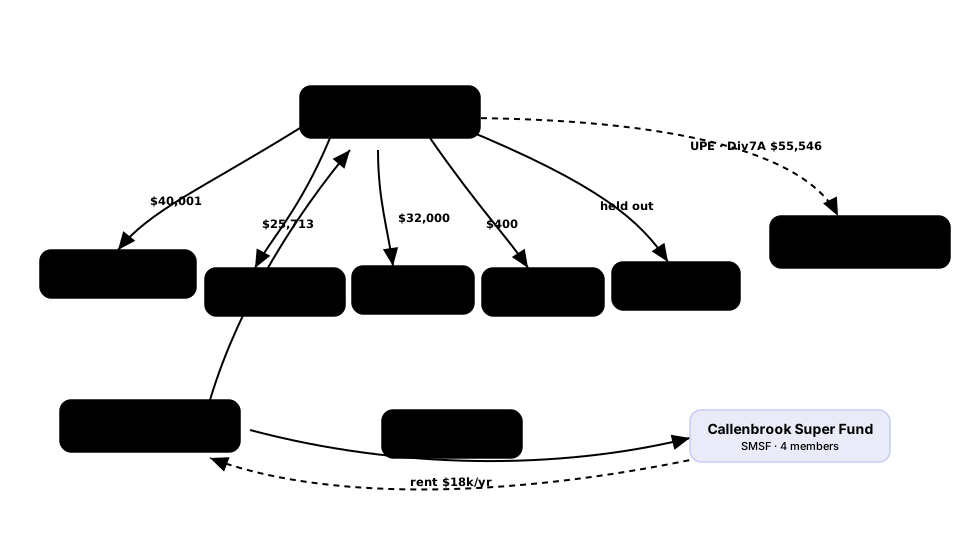
The original synthetic demonstration includes an unresolved minor-beneficiary exception. The diagram keeps that gap visible.
RECORDED RUNS
Recorded runs on fictional clients. FediPilot files the source documents, prepares the working papers in Excel and, where the recording goes that far, saves a draft in the software your practice already uses. Every run ends with open items for the accountant. Nothing is lodged.
Accounts generated in: MyLedger demo file. Draft return saved in: LodgeiT sandbox file. Not lodged.
Recorded in FediPilot with fictional clients and synthetic records. The accountant reviews every draft, and final review and submission stay accountant-controlled in your own tax software. Supported workflows vary by integration and release. FediPilot is downloaded from your Fedix dashboard once you have subscribed. Microsoft Excel, Xero and LodgeiT are trademarks of their respective owners, shown as software a practice may already use.
The work, end to end
The accountant gives the direction. FediPilot assists with preparation, keeps questions visible and brings the work back for judgement.
Confirm the client group, entities, year and scope. Keep the right context with every task.
Organise the available statements, reports and supporting documents. Identify gaps in the evidence.
Bring the source material into structured working-paper drafts and supporting schedules.
Examine distributions, entitlements and related balances across the entities.
Use supported filling workflows to carry preparation into the destination tax software.
Inspect the workpapers, resolve open items and review the destination return before submission.
The group case above demonstrates workpaper preparation and reconciliation. Draft-return filling is a separate supported workflow; it is not a claim that every form in that case was filled or lodged.
Made for the work accountants do
Explore how client context, working papers and supported tax-return preparation fit together.
Client groups
Working papers
Tax-return preparation
The review is the product
An unresolved source is something to investigate. FediPilot brings the preparation and the open items together, so your team can make an informed decision.
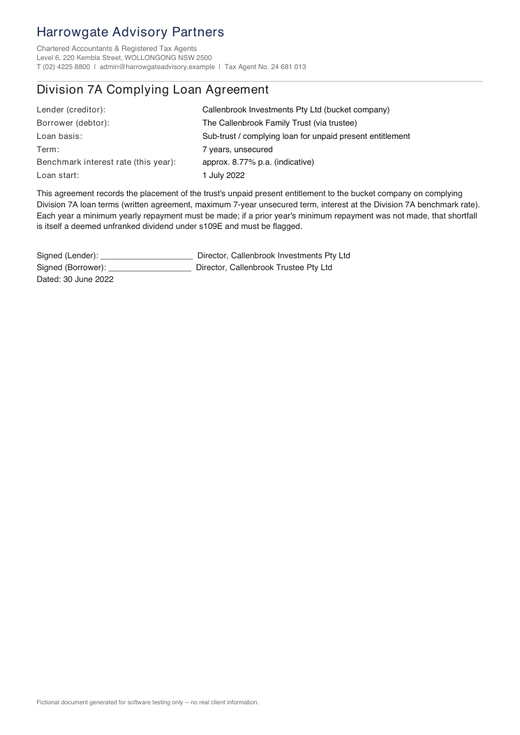 Inspect the source
Review question
Your client files
Taken from our Privacy Policy and Security page.
One Fedix system
Fedix manages the client relationship and practice workflow. MyLedger prepares the accounts. FediPilot adds AI-assisted preparation across the work. There is no separate FediPilot subscription. FediPilot runs on your own ChatGPT or Claude account, which Fedix does not supply; built-in AI features inside Fedix and MyLedger use 4,000 AI credits per user each month, pooled across the practice.
4,000 AI credits per user each month, pooled across your practice, for built-in AI (OCR, coding and reconciliation). AI on your own plan: about A$30-35 per active FediPilot user per month, paid to OpenAI or Anthropic. No Fedix markup. Four weeks of onboarding are included. Plans are month-to-month with no minimum term.
Explore the preparation workflow with our team and find where it fits in your practice.
Once you have subscribed, you can download FediPilot for Windows from your Fedix dashboard and sign in with your Fedix account. FediPilot runs on your own ChatGPT or Claude plan, which Fedix does not supply and does not mark up. Training sessions are included and can be booked at any time; they are not a precondition. There is no free trial: you pay month one on the day you subscribe. Month one refunded if it isn't working after onboarding.